
 Eduardo Rigo
The idea
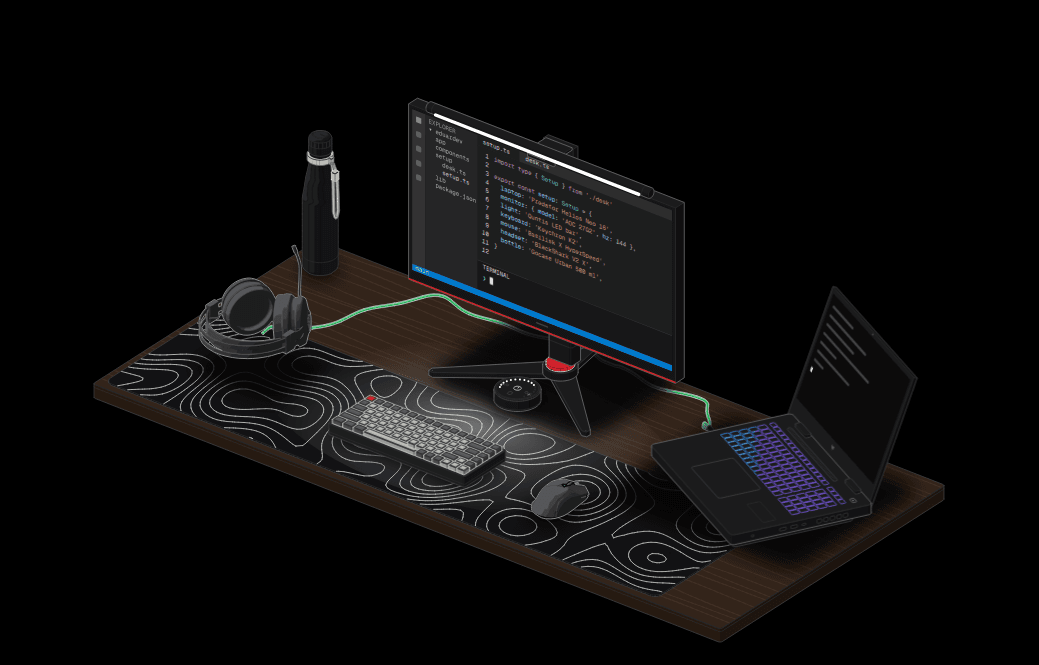
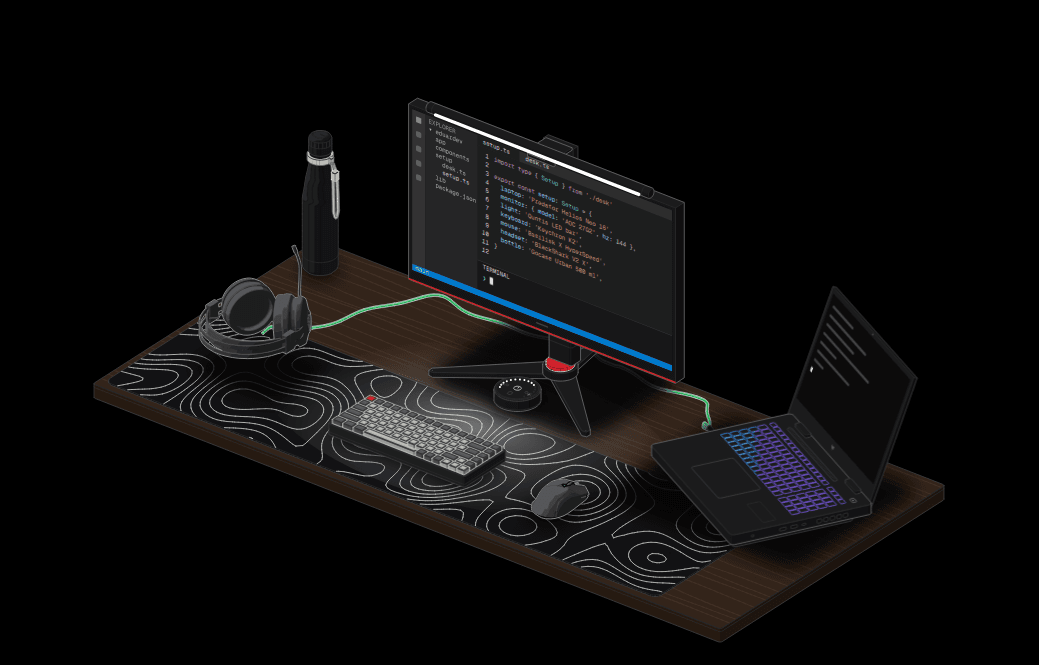
I wanted a page that shows what is on my desk. Not a list of links to stores, but the desk itself: the laptop, the monitor with the light bar on top, the keyboard, the mouse, the headset, even the bottle. And I wanted it to feel like the rest of the site: black and white, monospaced, a little playful.
So the Setup page became an isometric drawing you can play with. You can turn the monitor to portrait, close the laptop, switch the light bar between cool, warm and off (and dim it with the scroll wheel on its remote), type on your own keyboard and watch the keys sink on the drawn one, and zoom in anywhere.
I built it pairing with Claude Code, and most of the look comes from two skills: packaged instructions Claude loads for a kind of task.
Two skills, two looks
iso-glow draws hairline isometric figures where only what is "live" glows. I used it first, for prototypes: a trophy cabinet for the achievements, a keycap logo, and a server rack. The rack is now the 404 page: it looks the URL up across its drives, a drive hangs out of its slot, a loose cable sparks, smoke rises from the vents, and the answer is always 404. The keycap became my new logo.
anatomy is the heavier one. It draws figures as real objects built from many small solid parts: slabs, cylinders, turned parts, pipes, knurled knobs, screws as tiny dots. Every part is painted back to front in four tones of the same grey, with a hairline outline, and every line has to end on something. It ships checks for that: a line-end check that rings any stroke ending in the middle of nowhere, and a geometry audit for pipes and cables.
The first thing I built with it was the easel on the guestbook: about 45 parts (rubber feet, crossbars, a mast with a ruler, a clamp with a knurled screw, a jar of brushes). Hover it and the brushes rise out of the jar; click it and its canvas grows into the drawing canvas through the View Transitions API.
Measuring the real things
The rule that made the drawings look right was simple: build the real object, from real numbers. The laptop is 360 × 280 mm because the Predator Helios Neo 16 is. The monitor is 612 mm wide with the AOC's tripod base and its red ring, because that is what the 27G2 looks like from behind. The light bar and its round remote came straight from the manufacturer's technical drawings.
Some things had no drawings. For the bottle, I measured its silhouette pixel by pixel from the maker's product mockup, scaled it to the 70 mm body and turned the profile into a solid of revolution.
The hard part: the mouse and the headset
A gaming mouse is the worst case for a kit made of prisms and turned parts. My first attempts looked like a loaf of bread.
So I used free 3D models from Sketchfab ("Razer Basilisk V3" by thegraphicsgeek and "Razer Headset" by harithsami01, both CC BY 4.0), but not in the page. The models only exist at build time, as a ruler.
My second attempt drew the model's triangles directly, in the kit's tones. It looked worse: a mosaic of triangles and holes, because neighbouring facets landed in different tones and the mesh had overlapping shells.
What worked was going the other way. At build time, the full-detail mesh is rasterised with a depth buffer. Every pixel gets the part it belongs to (button, wheel, cover, thumb wing) and a tone from smooth normals. Then each region is traced back into a few clean vector paths. The page gets flat regions in four tones, the outline, and the seams between parts. No triangles.
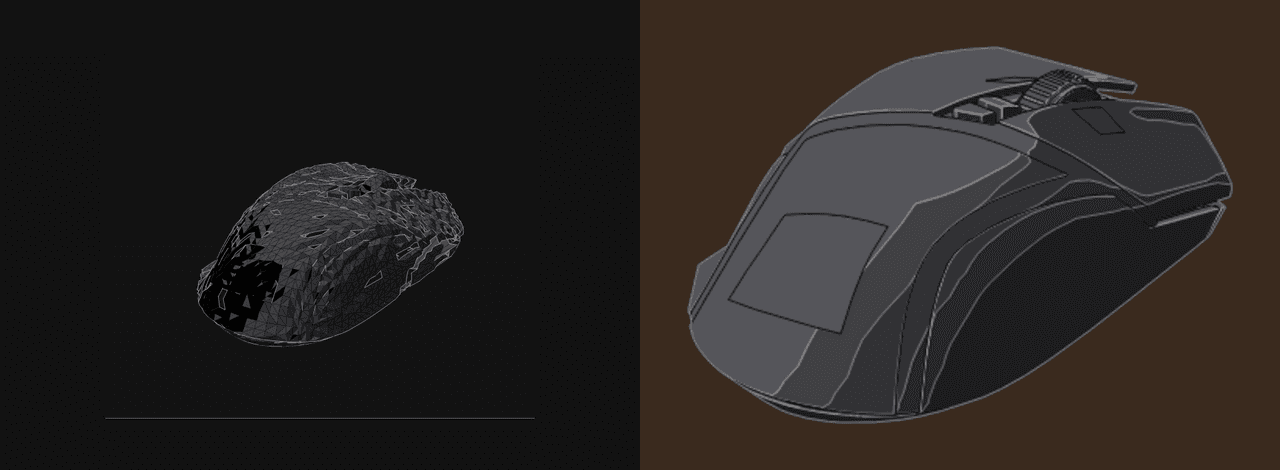
Each object went from about 600 KB of triangles to under 100 KB of paths, and it finally looked like the rest of the drawing.
Making it move
The drawing is static SVG, generated once by a Node script, so the page ships finished markup and no geometry code. That makes motion tricky: you can't re-project 3D parts in the browser without shipping the kit.
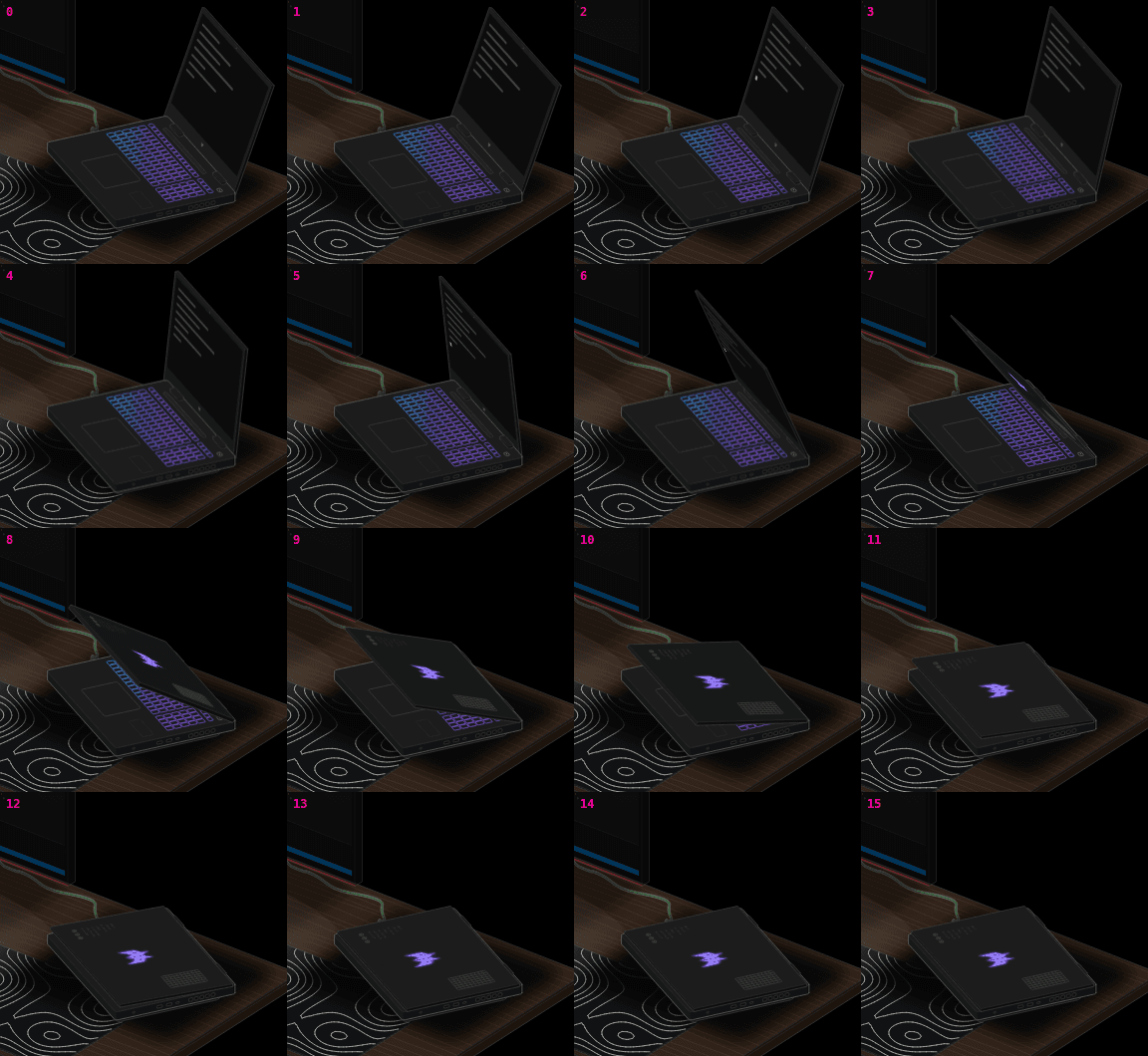
The trick: the build draws a few key poses of each moving part (seven for the laptop lid, eight for the monitor), and for every moment in between it works out the 2D affine matrix that carries the nearest pose onto the true one. A rigid turn of a flat part projects to exactly that, so the browser only switches poses and sets a transform. It runs at 60 fps.
One bug was fun: halfway through closing, the lid is seen almost edge-on, and the matrix to undo that pose is nearly singular. It blew the lid up into a black smear across the screen for one frame. The fix was to always carry from the neighbouring pose that sees the lid most squarely.
What I'd keep
- Real numbers first. Every time I guessed a size, the drawing looked wrong. Every time I measured, it looked right.
- Use 3D as a ruler, not as the picture. The models gave me shapes I could never have drawn by hand, and the page still ships plain SVG.
- Look at it like a critic. Claude rendered every change in a headless browser and zoomed in at 4×. Most fixes came from those close-ups, not from reading code.
The whole thing is on the setup page. Try typing.